
A monthly webinar that runs the same way every time
The stream, the questions and the polls on one page, and a certificate for everyone who joined online.
By starting the demo you accept the Terms of use and the Privacy policy.
What usually goes wrong
Questions lost in the stream chat
The chat scrolls past faster than anyone can read it. The presenter picks whatever is on screen at the moment, not what most people wanted to ask.
No proof of who was there
People ask for a certificate for their continuing education, and all you have is a registration form and a view counter.
Every month starts from scratch
A new registration page, new links, new polls. The setup that worked last month gets rebuilt by hand for the next talk.
What you get
Set up from the first minute. Everything here is part of the free base up to the attendee cap, except where the line itself says otherwise.
- Sessions Structure
- Tracks (parallel rooms) Structure
- Presenters Structure
- Q&A Features
- Polls Features
- Surveys Features
- Networking Features
- People list Features
- Attendee meetings Features
- Check-in QR code Features
- Materials Features
- Gallery Needs storage, bought per event
- Announcements Features
- Certificate of attendance Features
The gallery section is part of the base, but storing photos runs on metered storage you buy for the event: pick a volume and how long to keep it, and pay once.
Left off
Not part of this setup, so nobody has to scroll past it. You can switch any of it on later.
- Polls from the agenda
- Exhibitors
- Booth passport
How it runs
One event for the series, one session per talk
Create one event for the series and add each talk as a session with its presenter. Paste the YouTube or Vimeo link of your stream and it is embedded on the session page.
The audience asks and answers next to the stream
Questions come in written and upvoted, so the presenter takes the ones the audience cares about. Live polls and word clouds sit right next to the stream.
A certificate, then next month's talk
When the event ends, everyone who opened the session in Eventico while signed in, or was checked in, downloads a certificate of attendance. You can print the academic hours or credit points on it. For next month's talk, duplicate the event.
See it on your phone
Scan the code or open the link to try a real demo event the way your attendees will see it: programme, Q&A and polls. No app, no sign-up.
Open the demo event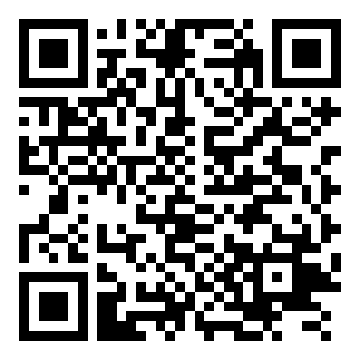
Worth adding
Paid modules and plans that fit this kind of event. The base stays free.
Questions associations ask
- Do people watching online get a certificate?
- Yes. Switch on Certificate of attendance for the event. Once the event has ended, every registered attendee who opened the session page in Eventico while signed in prints their certificate of attendance or saves it as a PDF. Printing the academic hours or credit points on it is optional.
- Can I reuse the setup every month?
- Yes. Duplicate the event: that copies tracks, sessions and presenters, but no attendee data. Then change the date, the title and the stream link for the new talk.
- Do you host the video?
- No. Keep using the streaming tool you already have. Paste the YouTube or Vimeo link into the session and it is embedded on the session page, with the questions and polls next to it.
- Do viewers need to install an app?
- No. Viewers open a link or scan the QR code and the event opens in their browser. Anyone who wants it on their phone can add it to the home screen, but nobody has to.
Close to this
Set it up in a few minutes
Create the event, pick the “Conference” type in the setup wizard, share one link. No app to install, for you or for anyone attending.